The Problem
Ashishuk sells fruit and vegetables online, and half of what it sells is priced by the kilo. Every order is packed by hand in the warehouse, and every weighed item decides what the customer pays.
Packing produce by hand is where mistakes happen: a weight that is estimated instead of measured, a missing item nobody flags, a box labeled for the wrong address. Without a system at the packing station, those mistakes surface on the customer's doorstep.
What We Built
An Android app that runs on tablets mounted at the packing stations, built in partnership with Codit. Each tablet is wired to a scale and shares a networked label printer.
Weigh, don't guess
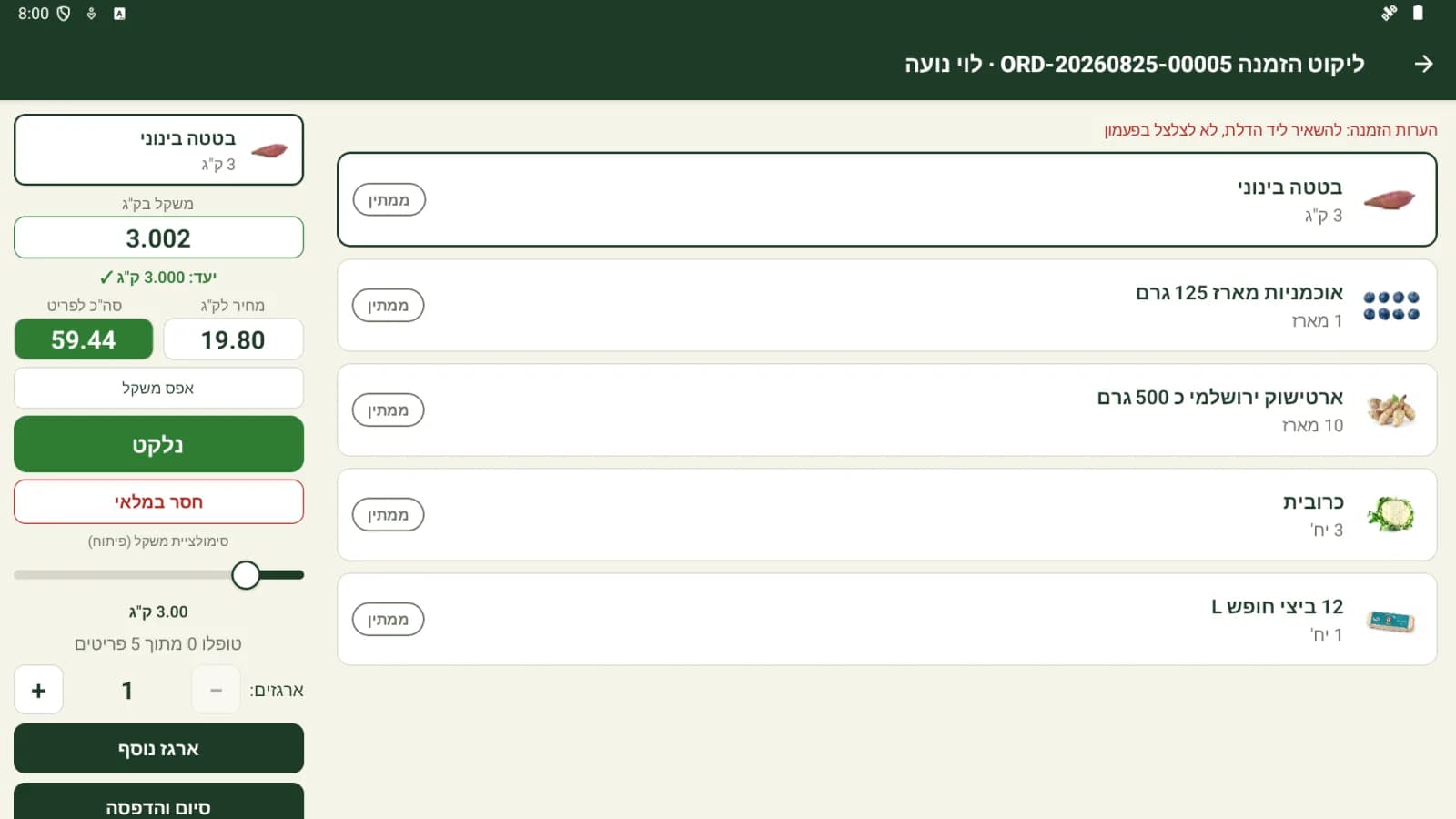
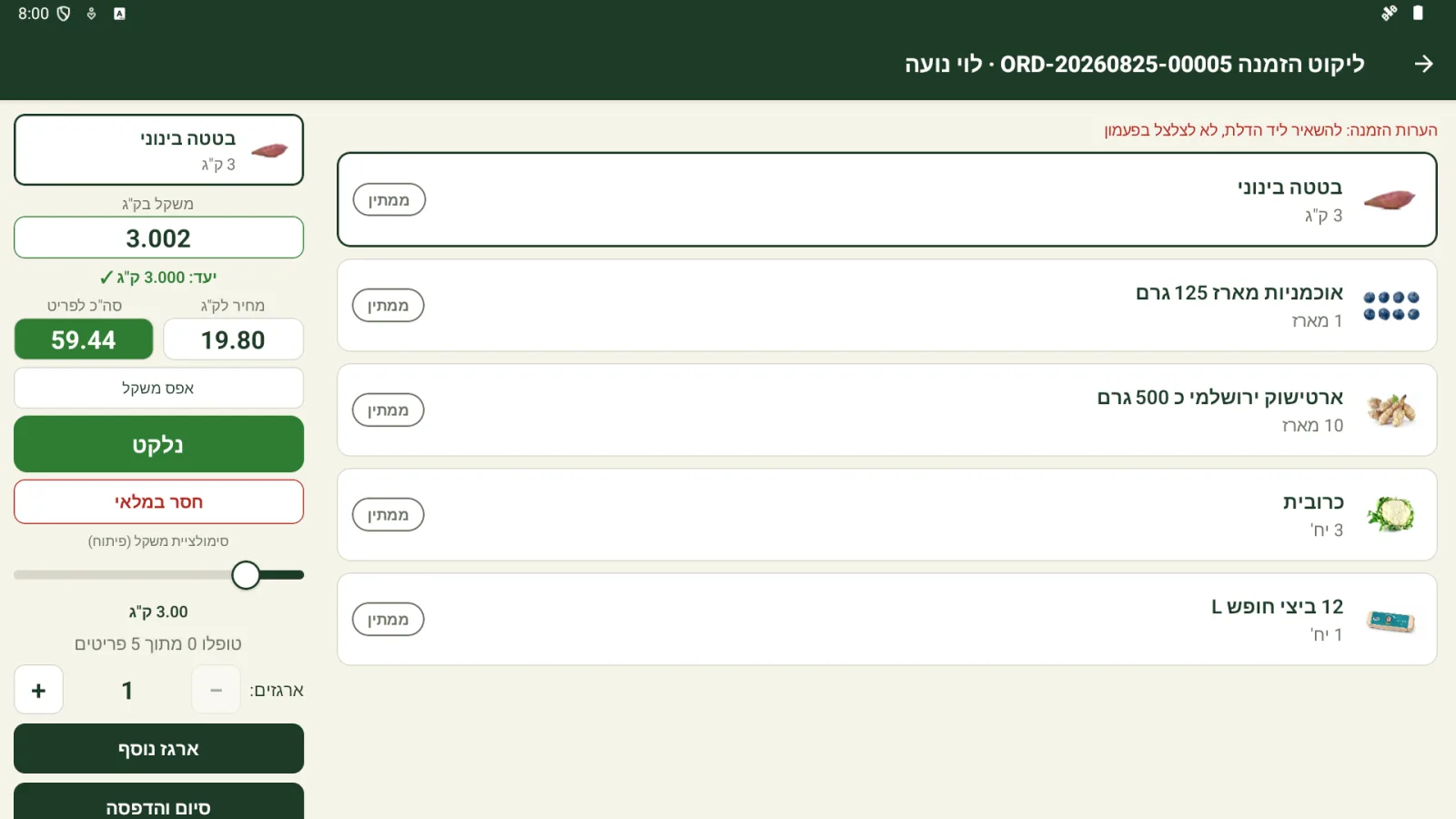
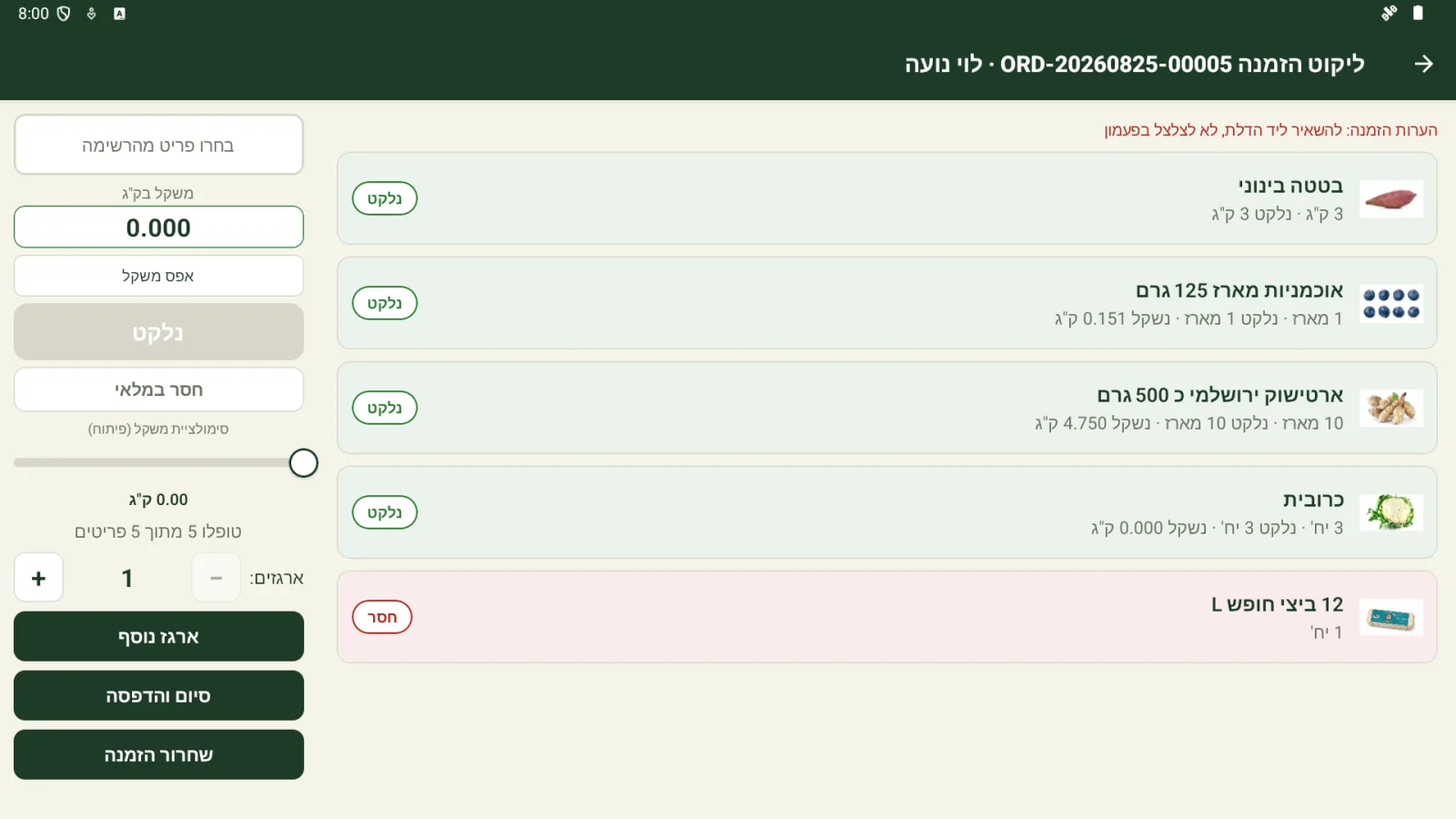
The picker opens an order and puts an empty box on the scale. The app zeroes it, then walks through the order's lines in warehouse walk order.
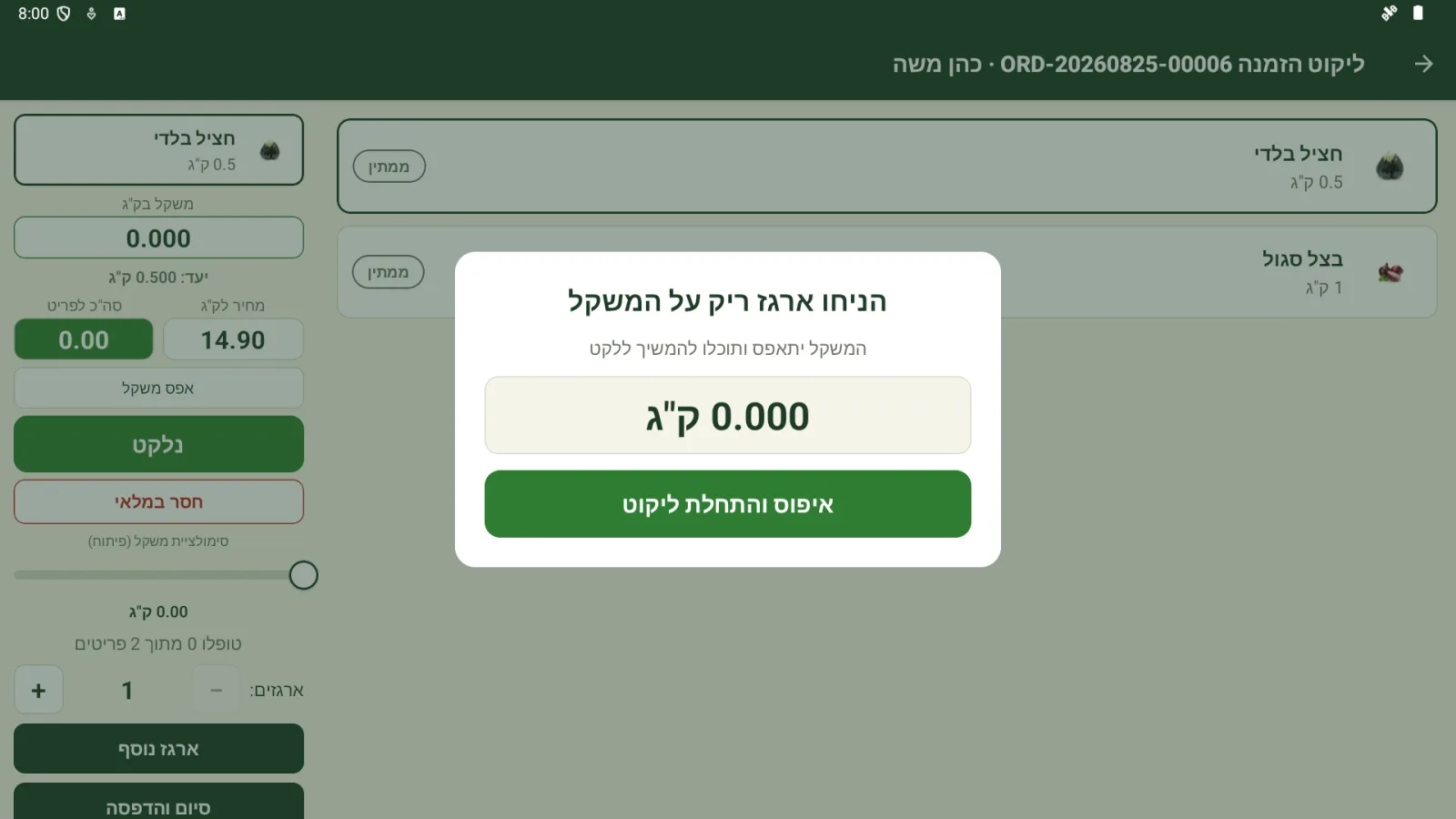
Items sold by the kilo go into the box on the scale. The app reads the real weight over the serial port, waits for the reading to settle, and prices the line by what is actually in the box.
Catch mistakes at the station
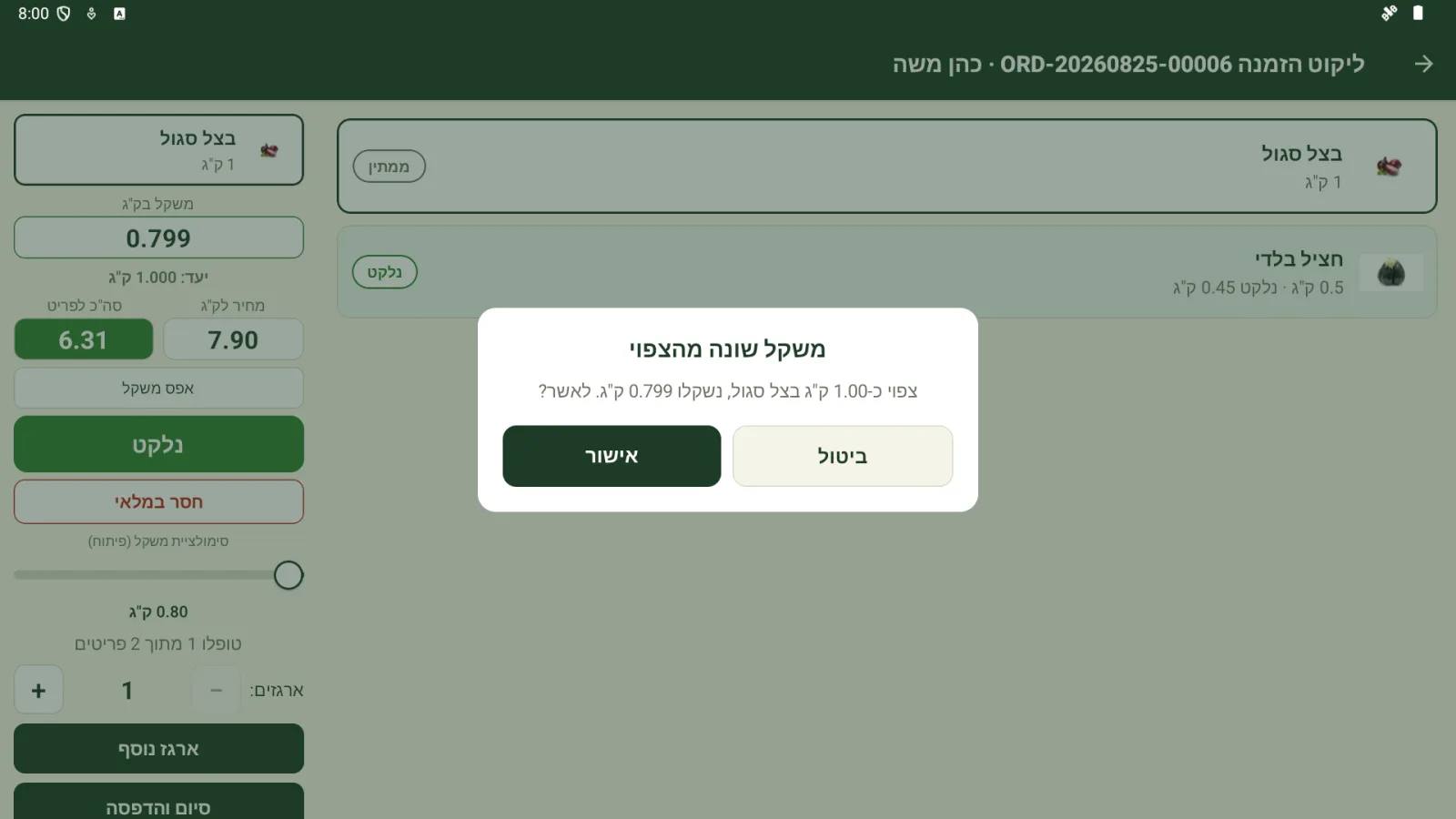
Every line is checked against what the order should weigh. If a weight is far from the expected amount, or a unit item goes in without the scale moving at all, the picker is asked to confirm before moving on, so mistakes are caught before the box is sealed.
Items that are out of stock are marked as missing, so the office can refund or substitute them, and the finished order shows exactly what went into the box.
A label for every box
When the order is done, the tablet prints one label per box straight to the networked label printer: the order number, the box count, the customer, phone and address in large Hebrew type, and a QR code with the full order number for the driver.
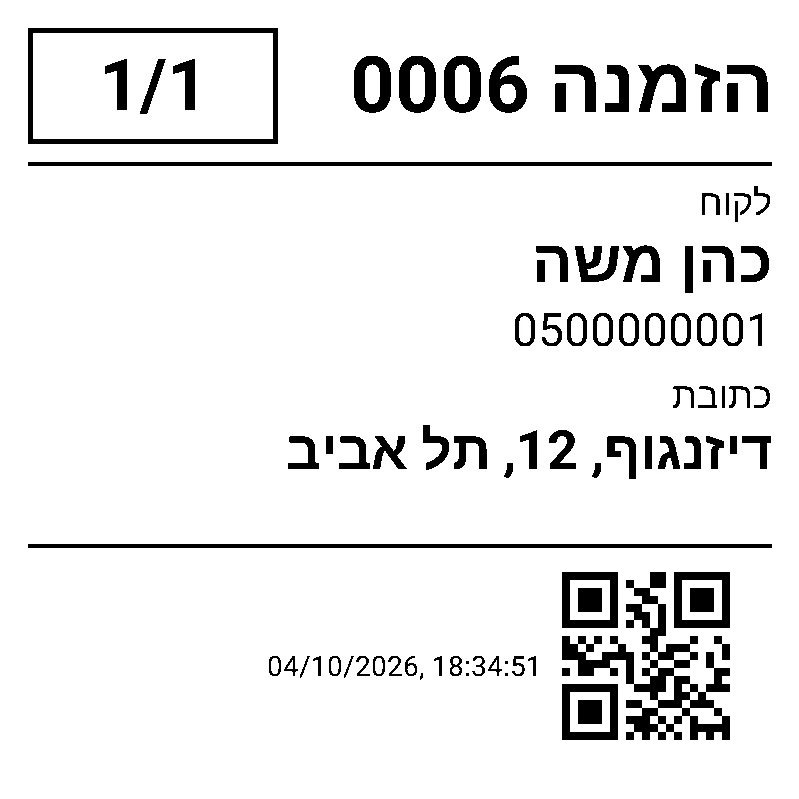
The printer speaks raw ZPL over the network. Hebrew is rendered into bitmaps on the tablet, so the labels need no fonts installed on the printer. To set the printers up we also wrote a small terminal tool in Go that discovers and configures them over the vendor's network protocol, so the warehouse no longer needs a Windows machine to manage them.
Built to run on the floor
The app runs full screen on the tablets, in Hebrew and right-to-left. Updates ship over the air, so a fix reaches every tablet in the warehouse without anyone reinstalling anything.
The Impact
Weights are measured instead of guessed, customers are billed for what is actually in their box, and packing mistakes are caught at the station instead of at the door. Every box leaves with a clear label the driver can scan.